
LinkedIn Lost 117 Million Passwords in 2012 Because of This Mistake. What Cryptographic Hashing Gets Wrong
The LinkedIn breach as a case study in unsalted SHA-1 hashing, used to explain the difference between hashing for integrity versus hashing for password storage, and when each approach is appropriate.
 By Muhammad Zeeshan~5 min read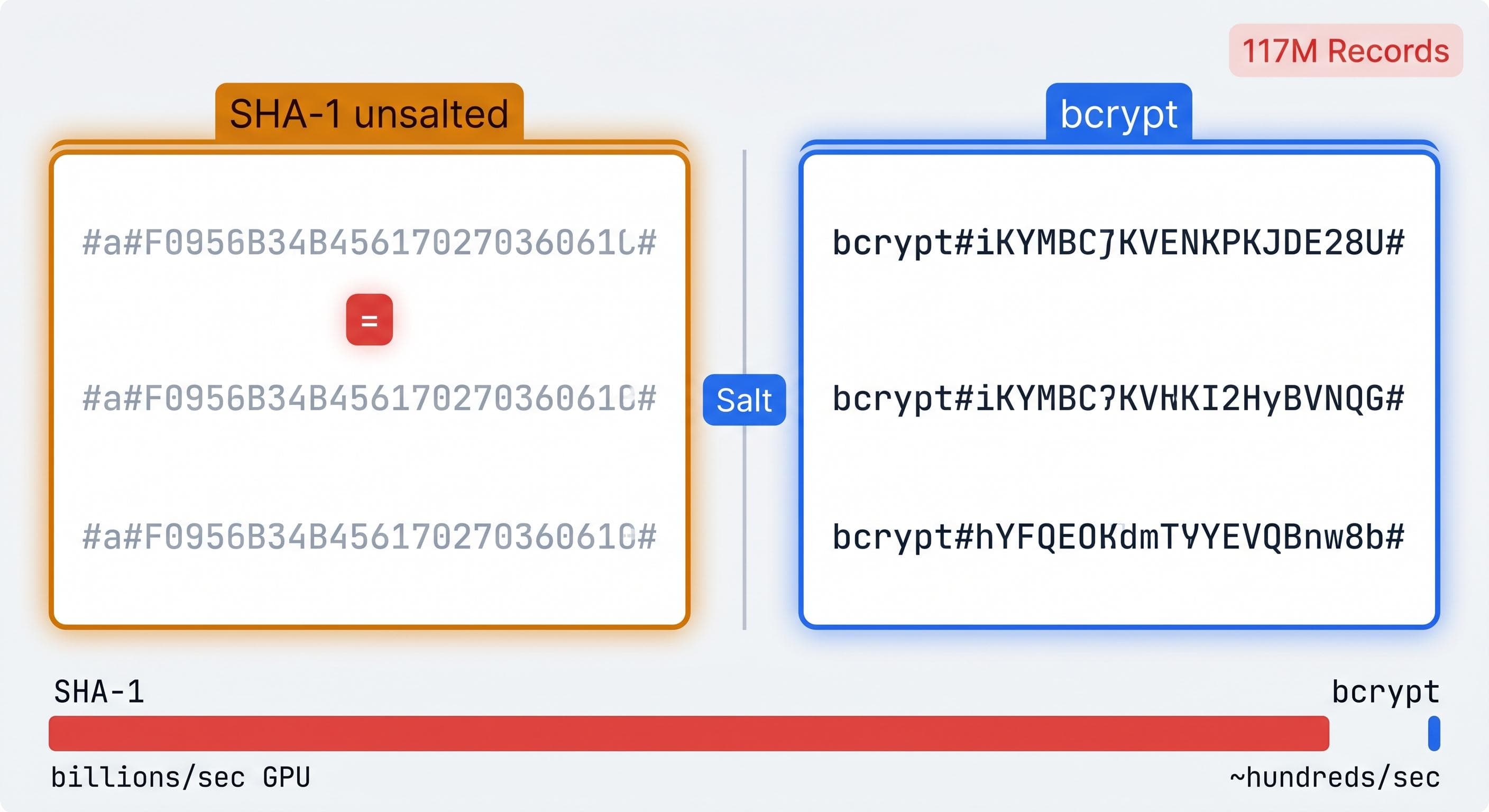
On June 6, 2012, a file containing 6.5 million hashed passwords appeared on a Russian hacker forum with a request to crack them. Researchers identified them as SHA-1 hashes linked to LinkedIn accounts. Within days, 5.8 million of the 6.5 million had been cracked. SHA-1 is fast, the hashes were unsalted, and a GPU can test hundreds of millions of SHA-1 guesses per second. The math was simple.
In 2016, a different actor put a database on the dark web claiming 117 million LinkedIn credentials from the same 2012 breach. LinkedIn's original disclosure said 6.5 million. The actual number was eighteen times larger. The initial count wasn't a cover-up, just an incomplete audit of a database nobody had examined fully.
The passwords cracked quickly because of two choices that seemed reasonable and weren't: a fast hash function and no salt.
Why Fast Is the Problem
A hash function takes input of any length and produces a fixed-size output. The same input always produces the same output. You can't reverse it from the output alone. For most developer contexts, this sounds like exactly the right property for password storage.
Speed is where it breaks down. MD5 computes at billions of hashes per second on a modern GPU. SHA-1 is similar. SHA-256 is somewhat slower but still fast enough that an attacker can enumerate every lowercase eight-character password combination in a matter of hours.
Password cracking doesn't require reversing the hash function. It requires guessing. Take a candidate password, hash it with the same algorithm and parameters used to store it, compare the output to the value in the stolen database. If they match, you have the password. With a fast hash function and no salt, the comparison costs almost nothing and the enumeration is fast enough to be practical at scale.
What Salt Does
A salt is a random value generated once per user when they set a password. It's stored alongside the hash in the database. Before hashing, the salt is concatenated with the password:
hash = SHA256(salt + password)
stored = { salt: random_bytes, hash: hash }
Two users with the same password now have different hashes. An attacker can't build a rainbow table of common passwords and look up results, because every row in the table would need to be recomputed for each unique salt. With a 16-byte random salt, precomputation becomes infeasible.
Salt solves the rainbow table problem. It doesn't solve the speed problem. An attacker targeting a specific account from a stolen database can still try billions of guesses per second against the individual salt. Speed is still the vulnerability.
The Tools Built for Password Storage
bcrypt was designed in 1999 for exactly this use case. Its defining property is a configurable cost factor that controls how much computation each hash requires.
Cost factor 10 runs 2^10 internal iterations: roughly 100 milliseconds per hash on current hardware. Cost factor 12 runs 2^12 iterations: roughly 400 milliseconds. Each step up doubles the cost. An attacker is now limited to a few hundred guesses per second per GPU core rather than billions. bcrypt generates and stores the salt internally, so there's no separate salt management to get wrong.
Argon2 is the more current choice. It won the Password Hashing Competition in 2015. It's memory-hard by design, meaning each hash operation requires holding a large block of data in working memory. That property prevents efficient parallelization on GPUs, where memory bandwidth is the constraint rather than raw compute. Argon2id is the recommended variant for most applications. For new codebases in 2026, it's the right default.
MD5, SHA-1, SHA-256, and SHA-512 should not appear in any password storage code path. They're fast by design, and fast is the exact wrong property here.
What SHA-256 and MD5 Are Actually For
There are legitimate, everyday uses for fast hash functions. None of them involve passwords.
File integrity verification. A SHA-256 hash of a file is a compact fingerprint that changes completely if any byte changes. Publishing the hash alongside a download lets users verify the file arrived intact. Linux distribution download pages do this routinely. Hash the downloaded file locally, compare the output to the published value, proceed if they match. A mismatch means a corrupted download or a tampered file.
Content addressing and deduplication. Git identifies every file object by the SHA-1 hash of its contents. Two files with the same hash are the same file. Content-addressable storage systems like IPFS use the same approach. Renaming a file costs no additional storage, and deduplication requires only a hash comparison rather than a byte-by-byte diff.
Cache keying. Hash the relevant inputs to a request: query parameters, request body, the headers that affect the response. Use the hash as the cache key. It's compact, deterministic, and a small change in any input produces a completely different key. CDNs and reverse proxies like Varnish use this approach.
The Hash Generator computes MD5, SHA-1, SHA-256, and SHA-512 in your browser without sending input to a server. That matters for checksums of sensitive build artifacts, internal configuration files, or any content where you'd prefer not to send the raw bytes to a third-party service. Paste the content, get the hash, compare or store.
The Credential Stuffing Tail
117 million cracked credentials from a single breach don't disappear after the news cycle. They circulate. They get merged into larger breach compilations. Attackers run credential stuffing campaigns against every new service they can reach, trying LinkedIn usernames and passwords against login endpoints everywhere. The campaigns continue today because password reuse is common, and common passwords from the 2012 breach still work against accounts that were never updated.
The fix was two choices: a slow hash function and a salt. bcrypt had been available for over a decade before the 2012 breach. The knowledge that fast hash functions are inappropriate for password storage wasn't obscure. LinkedIn used SHA-1 anyway.
The result is a credential database that still shows up in attacks twelve years later.