
The alg:none Vulnerability. Why Trusting JWTs Without Verification Is a Critical Security Mistake
A security-first walkthrough of how the alg:none attack works, what it has cost companies, and how reading a JWT correctly protects your application.
 By Muhammad Zeeshan~8 min read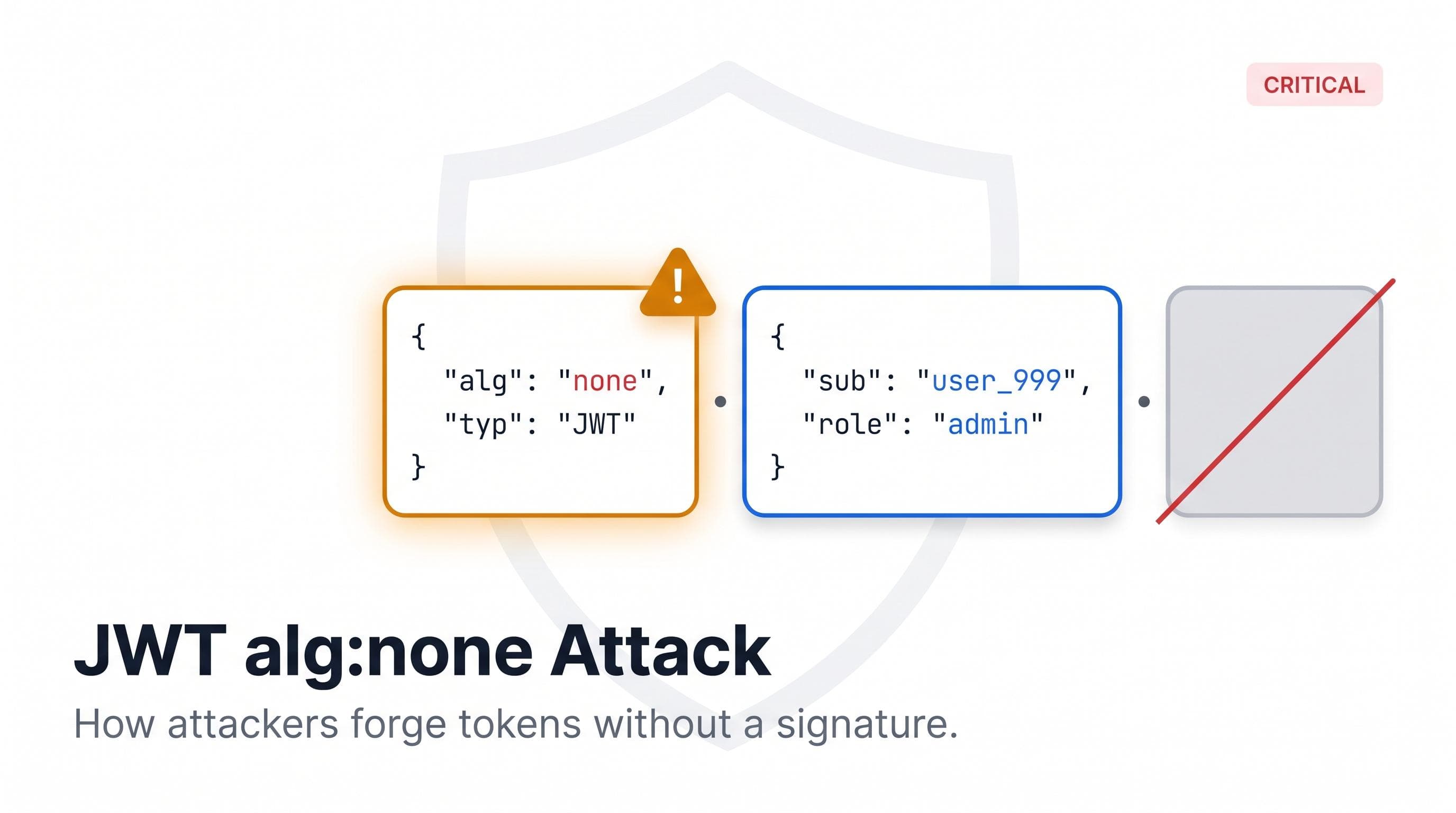
In 2015, a security researcher demonstrated an attack against JWT libraries that required no brute force, no cryptographic weakness, and no stolen keys. The attack worked by reading the specification carefully and exploiting the fact that several popular libraries had implemented it faithfully.
The JWT specification allowed the algorithm field in the token header to be set to the string none. A token with alg: none had no signature. According to the spec, a verifier receiving a token with no algorithm should not require a signature to validate it. Libraries that followed this rule would accept any token, with any payload, if the header said none.
An attacker with a valid token could decode the payload, change the userId to any user in the system, encode a new header with alg: none, reassemble the token without a signature, and pass verification. No keys required. No cryptography broken. Just a misread specification and libraries that trusted it.
Which Libraries Were Affected
The vulnerability was identified by Tim McLean and published in April 2015. At the time, libraries across multiple languages accepted alg: none without restriction. Auth0's own Node.js SDK was affected. The Ruby JWT gem was affected. python-jose and several other Python implementations were affected.
Auth0 published a disclosure and patched their libraries. Affected projects issued updates that required callers to explicitly specify an allowlist of acceptable algorithms. If no algorithm in the token matched the allowlist, validation failed regardless of what the header claimed.
The fix was simple in hindsight: reject any token whose algorithm field doesn't match what you expect to see. But the vulnerability sat in production code long enough to matter because the specification created an ambiguity that developers reasonably resolved in the wrong direction.
How a JWT Is Actually Structured
A JWT is three strings joined by two dots.
eyJhbGciOiJIUzI1NiIsInR5cCI6IkpXVCJ9.eyJzdWIiOiJ1c2VyXzEyMyIsImlzcyI6ImF1dGgubXlhcHAuY29tIiwiYXVkIjoiYXBpLm15YXBwLmNvbSIsImV4cCI6MTcxNjA3NDQwMCwiaWF0IjoxNzE2MDcwODAwfQ.SflKxwRJSMeKKF2QT4fwpMeJf36POk6yJV_adQssw5cEach segment is Base64URL encoded. The first is the header. The second is the payload. The third is the signature.
Decoding the header gives you the algorithm and token type:
{
  "alg": "HS256",
  "typ": "JWT"
}
Decoding the payload gives you the claims:
{
  "sub": "user_123",
  "iss": "auth.myapp.com",
  "aud": "api.myapp.com",
  "exp": 1716074400,
  "iat": 1716070800
}
The signature is computed by taking the encoded header and payload, joining them with a dot, and running the algorithm from the header over that string using a secret key. For HS256, that secret is shared between issuer and verifier. For RS256, the issuer signs with a private key and the verifier checks with the corresponding public key.
The alg: none attack exploits a specific design flaw here. The verifier must trust the header to know which algorithm to use for verification. If the verifier accepts none as valid, it skips verification entirely and the signature becomes irrelevant.
What Each Claim Means
The JWT spec defines a set of standard claims. Understanding what each one says, and what it doesn't, is the difference between correct authentication and an exploitable gap.
sub (Subject). The entity the token is about. Usually a user ID. This is what your application maps to a user record. The alg: none attack targets this field: change sub to any user ID in the system and impersonate that user if the signature isn't verified.
iss (Issuer). The party that issued the token. In a single-auth-service system, this might be auth.myapp.com. In a multi-tenant system or one that accepts tokens from multiple providers, it might be one of several values. Checking iss ensures the token came from an authority you trust. A token from a staging environment, a different service, or an attacker-controlled auth server will have a different iss value.
aud (Audience). The intended recipient of the token. Your API should only accept tokens where aud matches its own identifier. Without an audience check, a token issued for one service can be used to access another. This is a common misconfiguration in microservice architectures where services share the same signing key.
exp (Expiry). The Unix timestamp after which the token is no longer valid. Clock skew between services can cause valid tokens to be rejected if the verifying service's clock is slightly ahead of the issuing service's clock. A tolerance of 30 to 60 seconds is common. More than a few minutes is a risk surface.
iat (Issued At). When the token was issued. Some systems use iat to invalidate tokens issued before a specific time, such as after a user changes their password. This requires checking iat against a stored value in the user record, not just validating the claim in isolation.
nbf (Not Before). The Unix timestamp before which the token isn't valid. Less commonly used, but present in systems that pre-issue tokens with a future activation time.
Why Checking Expiry Is Not Enough
A common implementation mistake is validating only exp and treating a non-expired token as trusted. That breaks under several real conditions.
Stolen tokens. A stolen token is valid until it expires. If your tokens live for an hour and are stolen in the first minute, that's 59 minutes of unauthorized access. Signature verification doesn't help here. Short token lifetimes and refresh token rotation do. But skipping audience and issuer checks makes it worse: a stolen token for one service can be replayed against another.
Algorithm confusion. If your library accepts both HS256 and RS256, an attacker who knows your RS256 public key can create a token signed with HS256 using that public key. Your library uses the public key as the HMAC secret, verification passes, and you've been fooled. The fix is identical to the alg: none case: an explicit algorithm allowlist that rejects anything not on it.
Issuer confusion in multi-provider systems. If your system accepts tokens from multiple OAuth2 providers, each has its own signing keys and expected claim values. A token from one provider should never be accepted for another's audience. Validating iss against the expected value for each provider closes this gap.
Token substitution in microservices. Services in a microservice architecture often share a JWT library with similar configuration. Without aud validation, a token issued for the notifications service can be sent to the billing service. Adding an audience check costs one line of configuration and prevents a class of lateral movement that's easy to miss in a code review.
What to Verify Before Trusting Any JWT
Check these in order. Failing any one should reject the token with a specific error, not a generic authentication failure.
1. Algorithm allowlist. Check that the algorithm in the header matches exactly what you expect. For services using RS256, the allowlist contains only RS256. Reject none, reject HS256, reject anything else. Most JWT libraries accept an algorithms parameter. Use it.
2. Signature. Verify the signature using the key for the expected algorithm. For RS256, retrieve the public key from your JWKS endpoint. For HS256, use the shared secret. A token with a valid-looking header and payload but an invalid signature is an attack attempt or a corrupted token. The JWT Generator and Verifier lets you sign a test token with HS256 or RS256 and confirm your service rejects a tampered payload or a mismatched algorithm before you trust the check in production.
3. Expiry. Check exp against the current time. Apply a small clock skew tolerance if your services run on separate machines.
4. Issuer. Check iss against the expected issuer URL. Use exact string comparison. A trailing slash difference counts as a different issuer and has caused production auth failures when identity providers change their OIDC discovery document.
5. Audience. Check aud against the expected audience for your service. This claim can be a string or an array. Your service's identifier should be present.
6. Not before. If you use nbf, check it against the current time and reject tokens that aren't yet valid.
Reading a JWT Under Pressure
You have a token in a failing request. You need to know what's wrong. You don't have time to write a decoding script.
Decoding a JWT header and payload requires no key. Base64URL decoding is reversible. Any tool that can Base64URL decode a string can read the claims without needing the signing key. The signature segment requires the key. The header and payload don't.
The JWT Decoder decodes all three segments in the browser. The payload shows you every claim and value. A timestamps panel converts exp, iat, and nbf from Unix seconds to human-readable dates and tells you immediately whether the token is expired or not yet valid. Everything runs locally, which matters when the token contains user data or credentials.
When authentication is failing in production and the error is generic, decoding the token is the first diagnostic step. Check exp to rule out expiry. Check iss for the trailing slash that has caused more auth outages than any other single character. Check aud to confirm the token was issued for the service you're calling. Check sub to confirm the user identity is what you expect. Most production JWT failures reveal themselves in the claims within the first 30 seconds.
The Lesson From alg:none
The alg: none vulnerability wasn't caused by a bug in cryptographic code. The math was correct. The implementations were correct. The vulnerability came from a specification that created an ambiguity, and library authors who resolved it in a way that seemed compliant but was dangerous.
Don't trust that a JWT library handles everything correctly by default. Specify your algorithm allowlist explicitly. Validate every claim your security model depends on. A token that passes signature verification but fails an audience check isn't valid for your service. A token that passes all checks but came from an unexpected issuer isn't valid either.
The signature proves the token hasn't been tampered with since issuance. The claims determine whether it was issued for the right service, at the right time, for the right user. You need both.