
The Twitter ID Bug That Broke Thousands of Apps. Understanding JSON Precision Loss Before It Hits Production
A deep dive into the JavaScript precision problem behind Twitter's Snowflake ID bug, and what it teaches developers about validating JSON before trusting it.
 By Muhammad Zeeshan~7 min read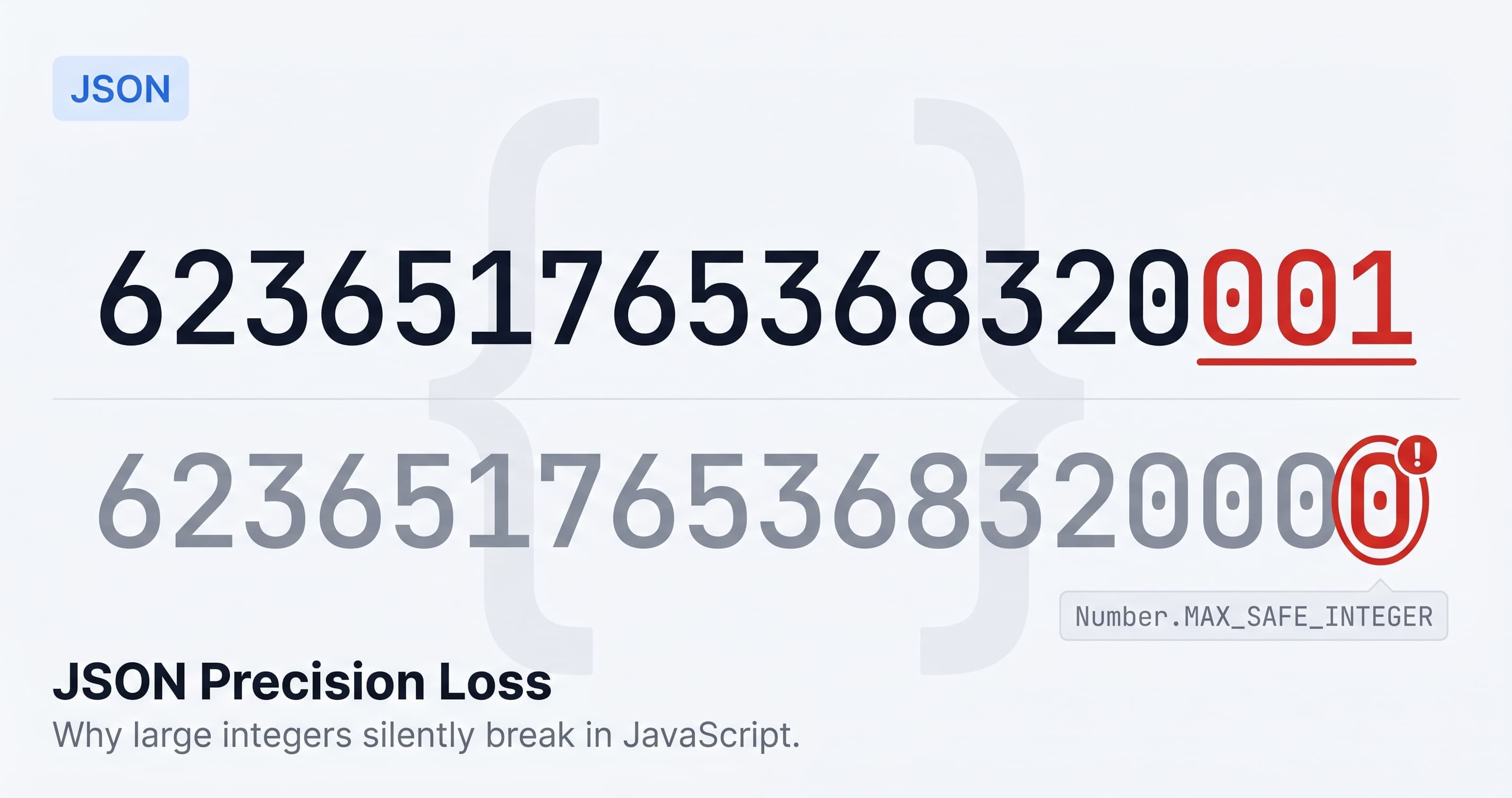
The night Twitter migrated to Snowflake IDs, the platform ran fine. For thousands of third-party applications consuming the Twitter API, it was the beginning of a subtle, confusing, and entirely silent bug.
The IDs that came back in the JSON payloads looked correct. JSON.parse accepted them without complaint. The numbers parsed successfully into JavaScript Number values. And then, quietly, they were wrong.
What Happened
Twitter's Snowflake ID system generates 64-bit integers to uniquely identify tweets, users, and other entities. These IDs are large. A user ID like 623651765368320001 has 18 significant digits.
JavaScript's Number type uses IEEE 754 double-precision floating point. It can represent integers exactly up to 2^53 minus 1: 9007199254740991. That's 16 digits.
Twitter IDs have 18 or 19.
When JavaScript parses 623651765368320001 from a JSON string, the value can't be represented exactly in a 64-bit float. The nearest representable value is 623651765368320000. The last digit becomes zero. JSON.parse succeeds. No exception is thrown. No warning appears. The value is silently wrong.
Apps using these IDs to link to profiles, fetch tweets, or store references started pointing to the wrong places. The IDs in the database didn't match the IDs in the API response. Developers opened the JSON, saw numbers that looked correct, and were baffled.
The JSON was valid. The parser was correct. The problem was precision, and nothing in the standard toolchain said so.
Why the JSON Spec Doesn't Protect You
JSON, as defined by RFC 8259, doesn't specify a precision limit for numbers. The spec says a number is a sequence of digits, optionally with a decimal point and exponent. It says nothing about how parsers must handle numbers that exceed the precision of a 64-bit float.
Different languages handle this differently. Python's json.loads preserves large integers exactly. Ruby's JSON.parse does the same. JavaScript's JSON.parse doesn't, because JavaScript has only one numeric type and it's a float.
A JSON payload that round-trips safely in Python will silently corrupt data when parsed in JavaScript. The payload is valid. The spec is silent. The loss happens invisibly at parse time.
That's what makes JSON precision loss so dangerous. It's not a crash. Not an exception. Not a visible error. The data simply changes value and keeps moving through your application until something downstream fails to match.
The Safe Integer Boundary
JavaScript defines Number.MAX_SAFE_INTEGER as 9007199254740991. Any integer above this can't be guaranteed to represent exactly as a Number. Some values above this limit happen to represent correctly, but many don't, and you can't tell which without checking.
For API development: if a JSON field contains an integer that could ever reach 10^15, treat it as a string or use BigInt. IDs from distributed systems that encode timestamps, machine IDs, and sequence numbers almost always exceed this threshold. Database auto-increment IDs hit it eventually if the table grows large enough.
Twitter solved this by returning both the numeric ID and the same value as a string.
{
  "id": 623651765368320000,
  "id_str": "623651765368320001"
}
The numeric field had already lost its last digit. The string field preserved it. Returning the same value twice in different types is a workaround for a JSON ecosystem problem that exists because the spec didn't anticipate the precision limitations of its most popular runtime.
Notice that Twitter added a new field instead of changing the type of id. Switching an existing field from a number to a string breaks every client that parses it as a number, which makes it a breaking change even though the value is the same. Catching breaking API changes before your users do covers how to spot that kind of type change in CI before it ships.
What a Good JSON Formatter Catches
A formatter that only validates syntax and indents your input is doing the minimum. Precision loss and a few other silent failure modes need active checking.
Precision loss detection. Every number in the input should be checked against Number.MAX_SAFE_INTEGER. If a value exceeds it, you should see a warning before you write code that depends on that value. This check would have flagged the Twitter ID problem immediately, at the moment you first looked at the payload.
Duplicate keys. RFC 8259 is ambiguous about duplicate keys in an object. JavaScript's JSON.parse uses the last occurrence and discards the earlier one silently. A duplicate key in a config template or a code generator output means lost data with no warning.
JSONC and trailing commas. JSON doesn't allow trailing commas after the last element of an array or object. But VS Code settings, TypeScript tsconfig, and most CI config files use JSONC, which does. Standard parsers reject these files. A formatter that recognises JSONC can parse them correctly and explain the problem, rather than reporting a vague error on what looks like an empty line.
The JSON Formatter and Validator checks all three. Paste a payload with a number above the safe integer limit and it surfaces a warning before you build logic on top of a corrupted value. Duplicate keys and JSONC issues appear the same way, with a precise description rather than a raw parse error.
Where Precision Loss Shows Up in Practice
The Twitter ID case is the most documented, but the same category of problem appears in many forms.
Database IDs. PostgreSQL BIGINT columns hold up to 9223372036854775807. Any auto-increment table with enough rows will eventually produce IDs that exceed JavaScript's safe integer limit. If your API returns BIGINT fields as JSON numbers and your client parses them in JavaScript, you have a latent precision bug that won't appear until the table is large enough to trigger it.
Financial amounts. Systems that store monetary values as integers, like cents, basis points, or satoshis, can exceed the safe integer limit for large transactions. A JSON payload that returns a balance as a raw integer rather than a decimal string is a precision bug waiting for the right transaction size.
Timestamps in nanoseconds. Microsecond and nanosecond timestamps from distributed tracing systems are frequently large enough to lose precision when parsed as JavaScript Numbers. Events can appear simultaneous or out of order when they weren't, making distributed traces misleading.
Snowflake-style IDs in general. Any distributed ID system that encodes time into a 64-bit integer will produce IDs that exceed the safe integer limit. This includes Cassandra IDs, Kafka partition offsets at volume, and IDs from most distributed databases designed for high-throughput writes.
A Practical Checklist for Production API Responses
Before you build logic on top of a JSON payload from an external API, run it through a formatter that does these checks.
Check every numeric ID field. If the API returns id, user_id, account_id, or any similar field as a JSON number, verify it's within Number.MAX_SAFE_INTEGER. If the field could ever exceed this limit, parse it as a string or BigInt, not a number.
Look for a string equivalent. Well-designed APIs that return large integer IDs often include a string version of the same field. If one exists, use the string field in your client code, not the numeric one.
Validate on ingestion, not assumption. Don't assume numeric fields are safe integers because they look reasonable in a test environment. Build the check into your data ingestion layer so it surfaces as a specific error rather than downstream corruption.
Treat duplicate keys as bugs. If a formatter flags a duplicate key in a response, investigate the source. It's almost always a bug in a serializer or a merge artifact in a config template.
Use BigInt for IDs when in doubt. BigInt can represent integers of arbitrary size exactly. If you're handling IDs from distributed systems, parse the string form and work with BigInt rather than Number.
Why This Is Still a Problem
The JSON spec was published in 2006. The precision limitation of JavaScript's Number type has been known from the start. BigInt was added in 2020. The fix is well understood.
And yet APIs still return 64-bit integer IDs as JSON numbers. Client code still parses them with JSON.parse. The bug appears, gets fixed in the one place it was noticed, and persists everywhere else nobody thought to check.
Nothing in the standard toolchain surfaces this automatically. JSON.parse doesn't warn you. Your IDE doesn't flag it. Your linter doesn't catch it. It only becomes visible when something downstream fails to match an ID that looks correct.
Run your production API responses through the JSON Formatter and Validator before you trust them. It takes thirty seconds and surfaces precision issues, duplicate keys, and JSONC problems at the moment you're looking at the data, before they become a bug report.